The workout screen
What each piece of information means and how to use the controls during a workout.
The app interface is in Portuguese for now. In these tutorials, button names appear in Portuguese, followed by the translation in parentheses.
The workout screen is designed to be read at a glance, while you run or ride.
What you’ll see
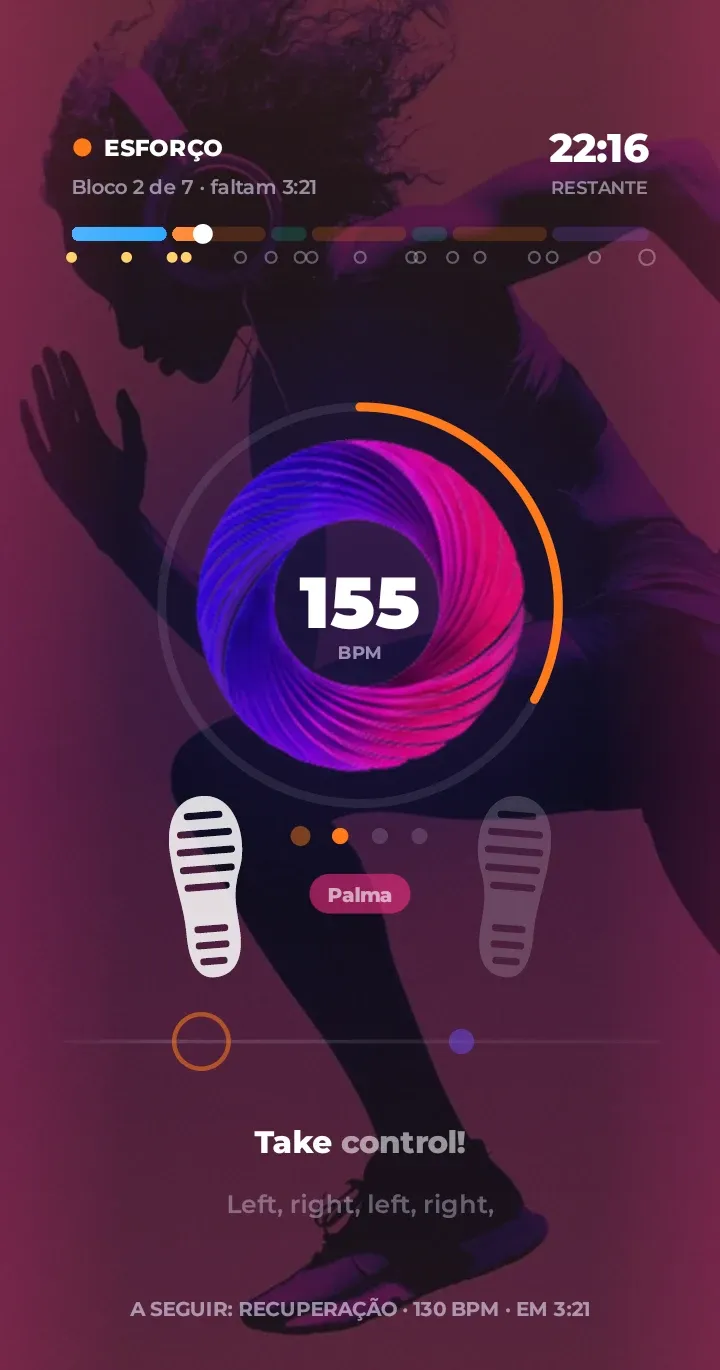
- Bar at the top: the whole workout, with a color for each block. Tap it to jump to another point.
- Block name: Aquecimento (Warm-up, blue), Esforço (Effort, orange), Pico (Peak, magenta), Recuperação (Recovery, teal) and Desaquecimento (Cool-down, violet).
- The center circle: the current BPM, pulsing on the beat.
- Block and time: which block you’re in and how much time is left.
- Countdown: before each block change, a countdown. With the voice turned on, it says “três, dois, um” (“three, two, one”) and the name of the next block.
- Up next: which block comes next.
- Lyrics: the song’s lyrics karaoke-style, if you turn them on.
The controls
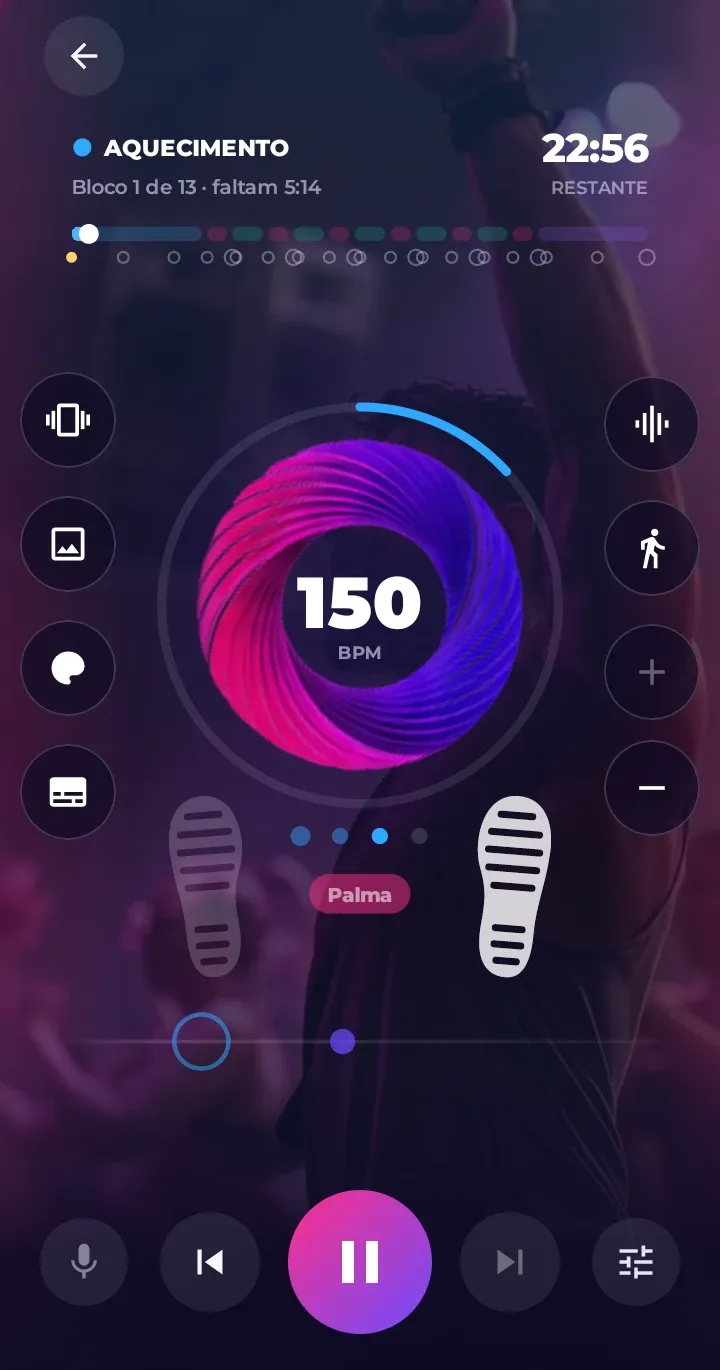
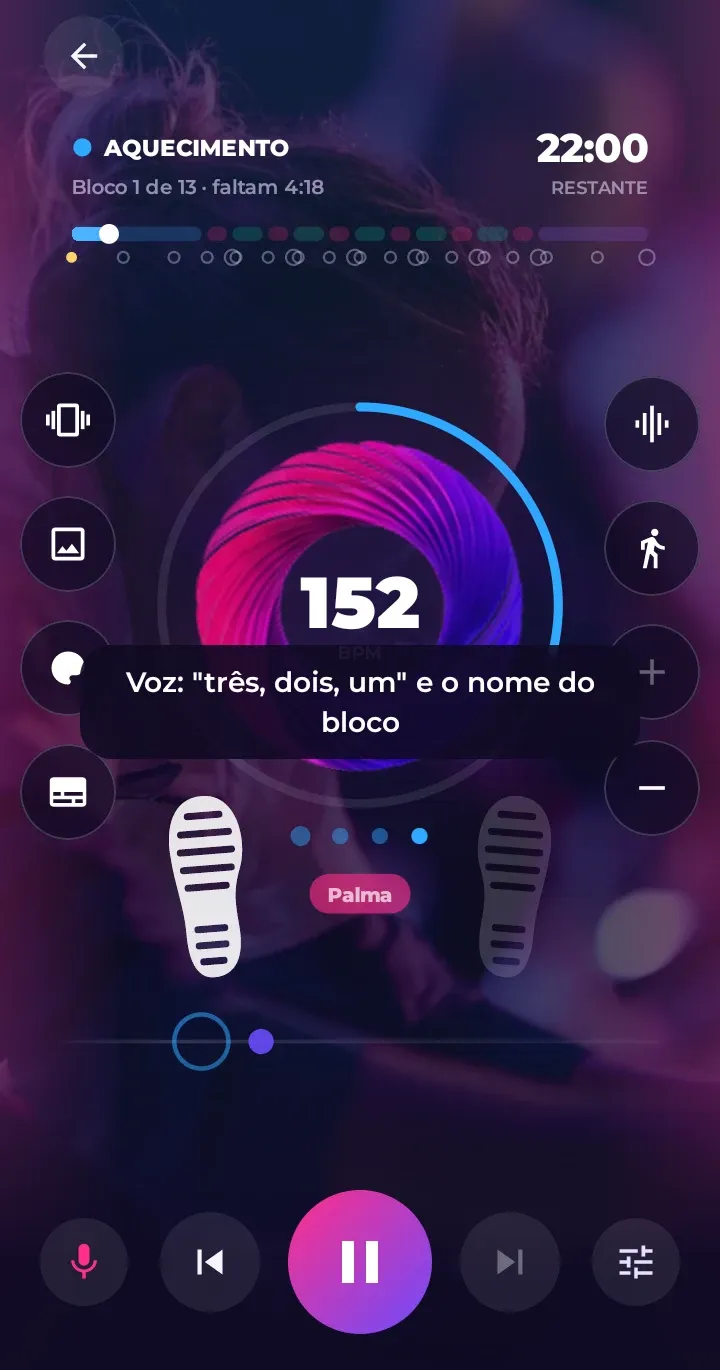
Tap anywhere on the screen to show the controls. They disappear on their own after a few seconds.
- At the bottom: previous, pause, next and Opções (Options). In the left corner, repeat (for songs and playlists) or, in a workout, the countdown voice: “three, two, one” and the name of the next block.
- Top left: the arrow to exit.
- On the sides: one-tap shortcuts, four on each side. On the right: sound on the beats, steps and tempo (+ and −). On the left: vibration, background, theme and lyrics.
- Swipe up while the controls are showing to open Opções (Options).
Each tap on a shortcut briefly shows what changed. The shortcuts and Options change the same settings, and your choice is saved for your next workouts.
Don’t want the side shortcuts? Turn them off in Configurações › Aparência (Settings › Appearance) or in the Options panel.
Screen off, phone in your pocket
You can turn off the screen. The music, claps, voice cues and vibration stay right on time. The controls also show up in the notification, on the lock screen and on your headphone buttons.