
Customize the screen and sounds
Theme, colors, background, claps on the beat, voice, vibration, steps and lyrics.
The app interface is in Portuguese for now. In these tutorials, button names appear in Portuguese, followed by the translation in parentheses.
Open Opções (Options) during a workout: tap the screen and swipe up. The sections open one at a time:
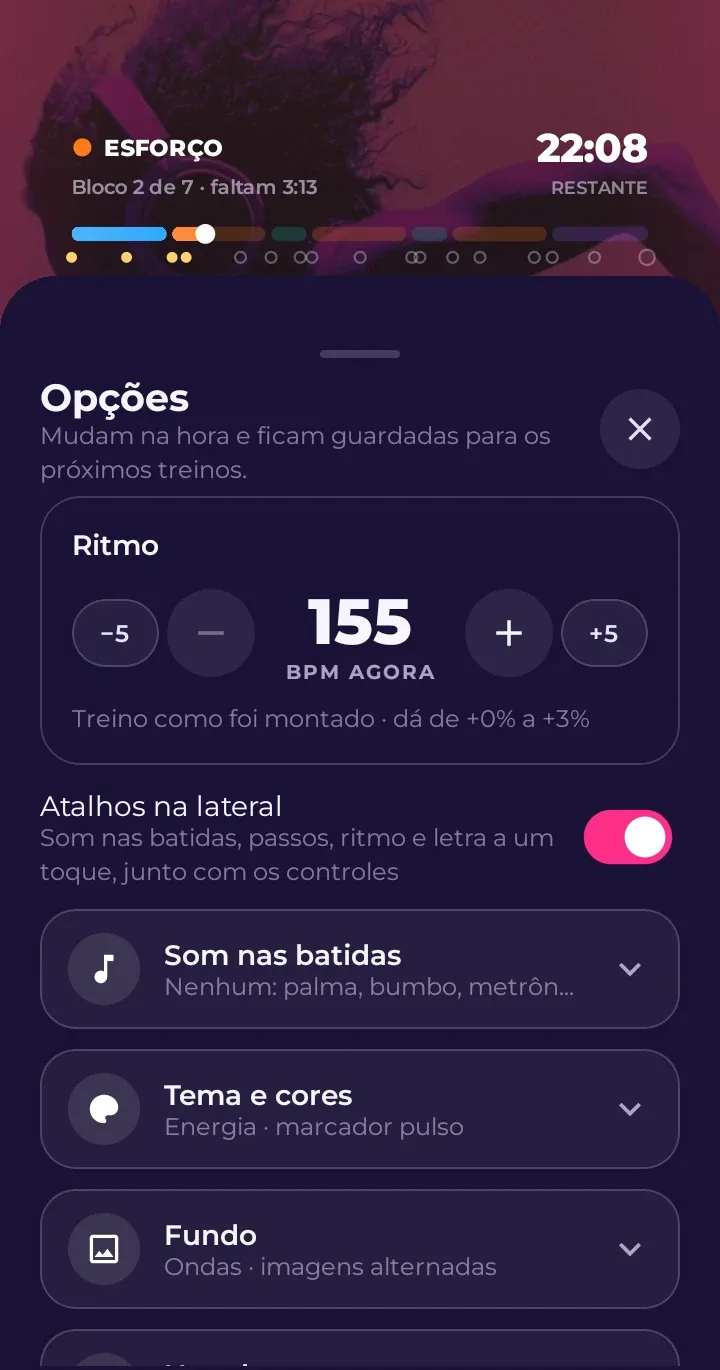
- Ritmo (Tempo): the BPM, always at the top.
- Som nas batidas (Sound on the beats): claps, kick drum and other sounds played over the music, right on the beat. Pick a preset or build your own: which sound, every how many beats, which beat it starts on, the volume and the color of the light that flashes at the edges of the screen.
- Tema e cores (Theme and colors): the look of the workout screen.
- Fundo (Background): plain, the song’s cover art or rotating photos.
- Na tela (On screen): what’s shown (BPM, time, next block, bar, points, countdown, steps) and the text size. This is also where you’ll find Reduzir movimento (Reduce motion).
- Volume e voz (Volume and voice): music and sound volume, and the countdown voice before each block (also on the microphone button in the bottom bar).
- Vibração e prêmios (Vibration and rewards): vibrate on the 1 of each bar or on every beat, and how often celebrations appear on screen.
- Sincronia da tela (Screen sync): fine-tune what you see against what you hear.
Everything changes instantly, with the music playing, and is saved for your next workouts.
Steps on screen
Turn on passos (steps) (right-side shortcut) to see footprints that light up in time, one per beat. You can highlight your left or right foot: the highlighted foot always lands on the 1.
Clap with your foot
In the som nas batidas (sound on the beats) shortcut, one of the options is a clap together with the highlighted foot. That way you hear the clap exactly when that foot should hit the ground.
Lyrics
The letra (lyrics) shortcut switches between the original lyrics, the translation and no lyrics. Translations are available in Portuguese, English and Spanish.