
Songs, favorites and playlists
Listen to individual songs, save favorites, build playlists and choose how they transition.
The app interface is in Portuguese for now. In these tutorials, button names appear in Portuguese, followed by the translation in parentheses.
The Songs tab
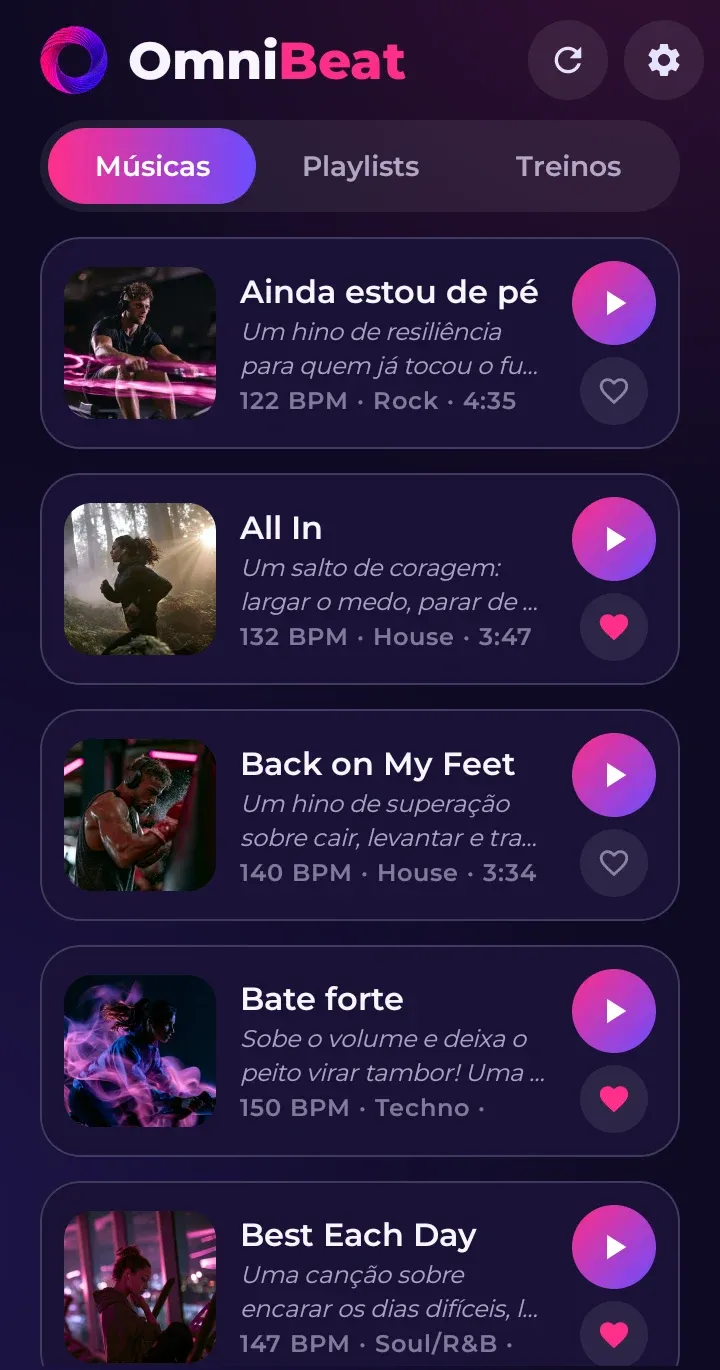
In the Músicas (Songs) tab, search by name, genre or mood, and filter by activity, genre and language. You can view a list or large tiles with the cover art.
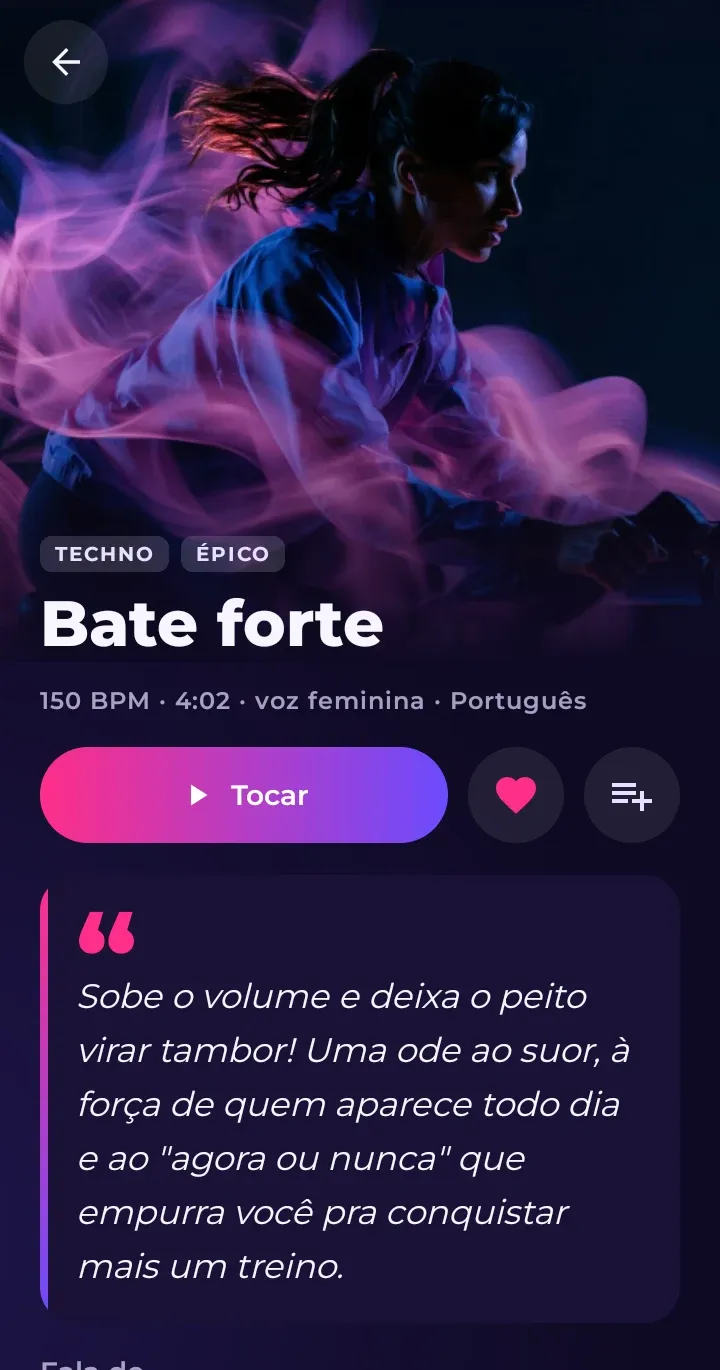
Tap a song to open its page: cover art, a summary of what the lyrics are about, themes, activities that go well with it, and buttons to play, favorite and add to a playlist. Swipe sideways to move to the next song in the list.
When you play from the Songs tab, the app follows the list on the screen (with the filters you chose).
Favorites
Tap the heart ♥ to add a favorite. Use the favorites filter to find yours in no time.
Playlists
- Open a song and tap the playlist button (or the + in the list).
- Choose a playlist or create a new one.
- In the Playlists tab, tap a playlist to play, edit or delete it.
Transitions between songs
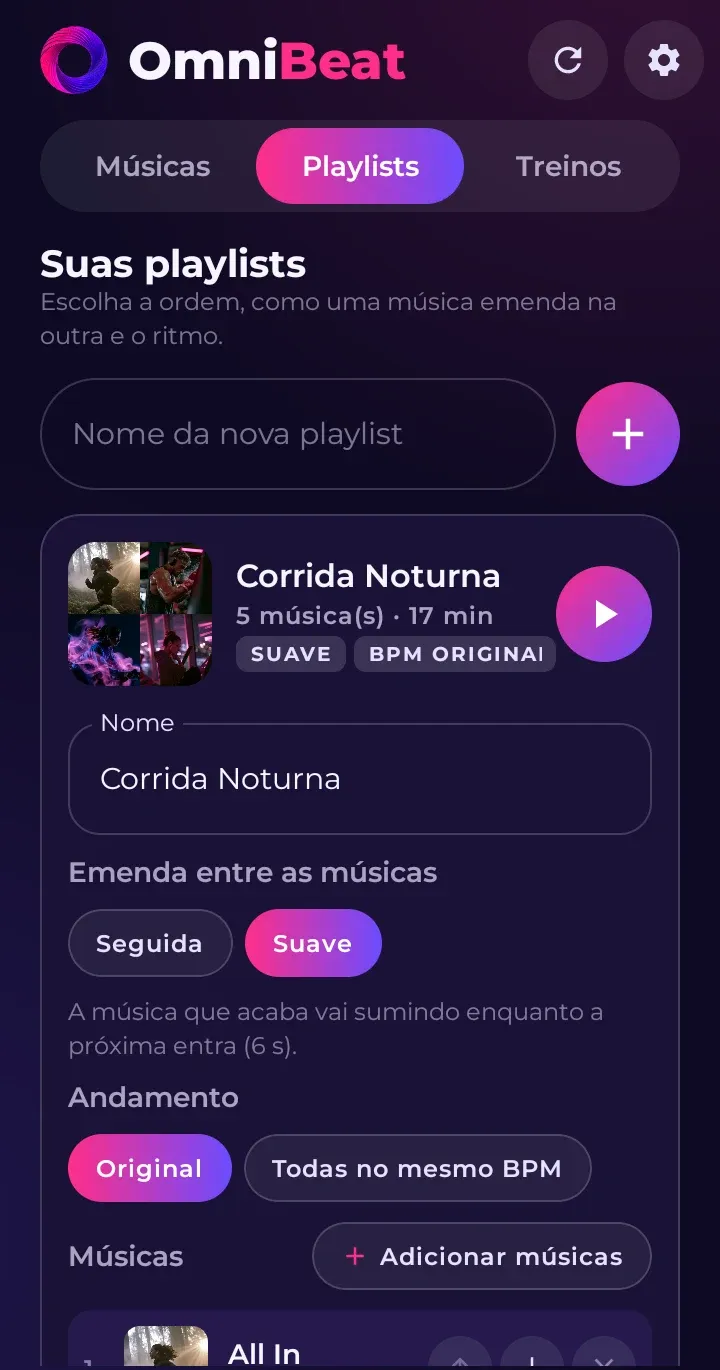
Each playlist has its own Emenda (Transition):
- Seguida (Back to back): one song starts as soon as the other ends.
- Suave (Smooth): the two play together for a few seconds, one fading out as the other fades in.
All at the same BPM
In a playlist, you can pick one BPM for all the songs. Each one goes as far as its own limit, without changing the pitch of the vocals.
Repeat
The button in the bottom-left corner of the controls switches between no repeat, repeat all and repeat this song.