
← Help centerHelp · FAQ
I can't feel the vibration
How to make the vibration stronger or get it working on more basic phones.
The app interface is in Portuguese for now. In these tutorials, button names appear in Portuguese, followed by the translation in parentheses.
Vibration marks the beat in your pocket or on your arm. Turn it on with the left-side shortcut on the workout screen (off, on the 1 of each bar, or on every beat).
If it’s on and you still can’t feel it:
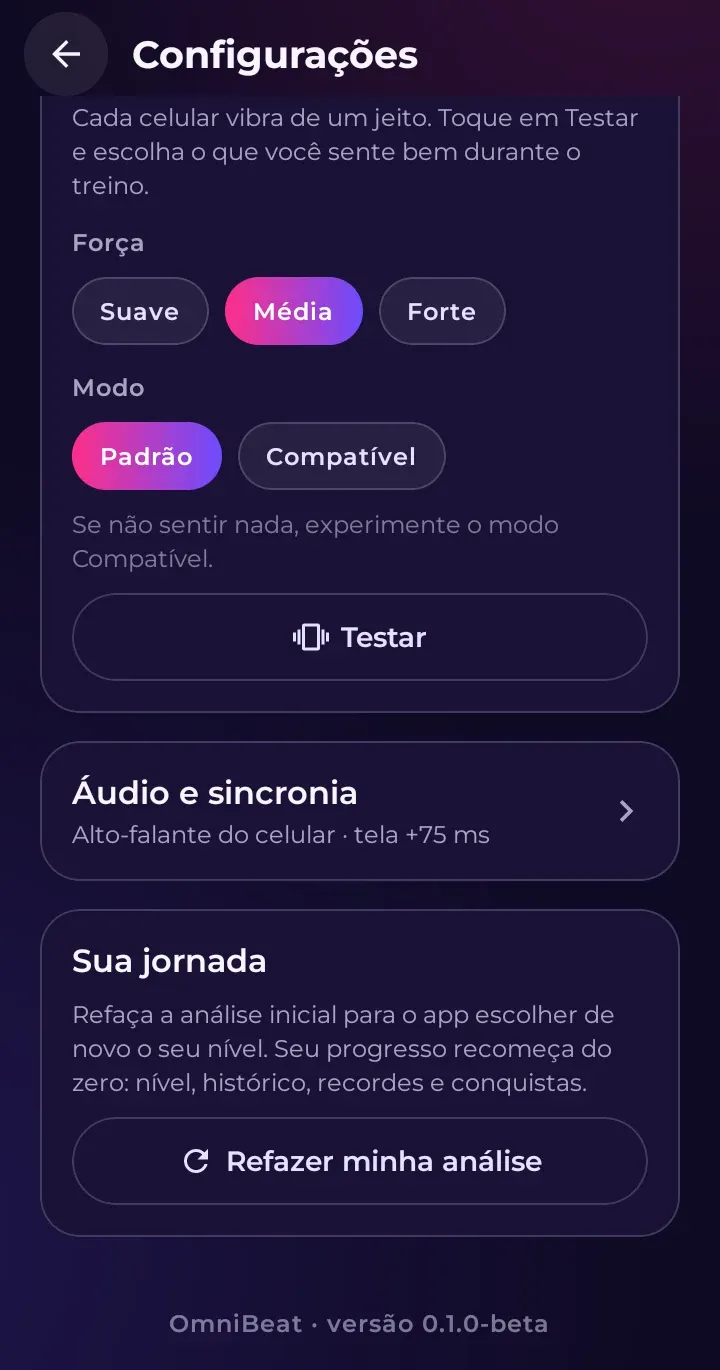
- Open Configurações › Vibração deste celular (Settings › Vibration on this phone).
- Under Força (Strength), choose Média (Medium) or Forte (Strong). On phones with a basic vibration motor, short pulses can barely be felt.
- If it still doesn’t work, switch the Modo (Mode) from Padrão (Default) to Compatível (Compatible). Some phones (like many Samsung models) only really vibrate in this mode. In this mode, the phone won’t vibrate when it’s on silent.
- Tap Testar (Test) to feel it before you work out.
Also check that your phone isn’t in total silence mode and that vibration isn’t turned off in the system settings.